
Shared library
The shared library is an org-wide view of every test case and test plan across all your projects, so teams can find existing coverage and reuse it instead of rebuilding it.
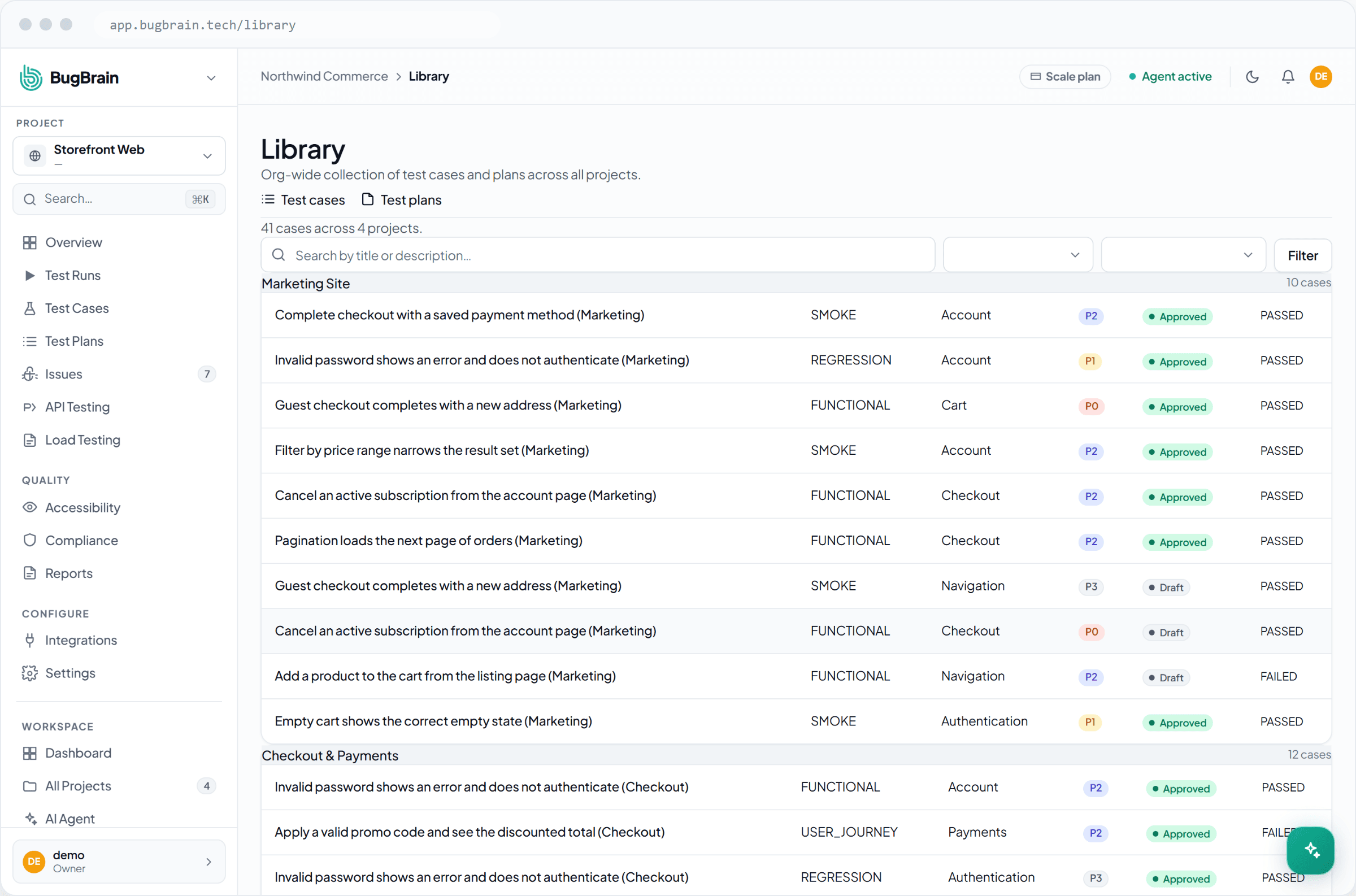
The shared library is your workspace's single, org-wide view of everything your team has built to test with — every test case and every test plan, across all of your projects. It's where teams go to find existing coverage and reuse it instead of quietly rebuilding the same checks in a new project.
What it is#
The library has two views:
- Cases (
/library/cases) — every test case in the workspace, from all projects, in one searchable list. - Plans (
/library/plans) — every test plan in the workspace, again across all projects.
Where a project's own Test cases and Test plans tabs are scoped to that one app, the library zooms out to the whole organization. That makes it the right place to answer questions like "do we already test the checkout flow anywhere?" or "which plans cover the login experience?"
Why use it#
- Find existing coverage fast — search across every project at once instead of opening each one.
- Reuse instead of rebuild — when a flow has already been tested elsewhere, copy the approach rather than authoring it again.
- Avoid duplication — spot overlapping cases so teams aren't maintaining the same check in two places.
- Onboard quickly — a new teammate can browse the library to learn what the team already tests and how.
Find and reuse coverage#
Open the library
From the main navigation, open the shared Library, then choose Cases or Plans.Search across projects
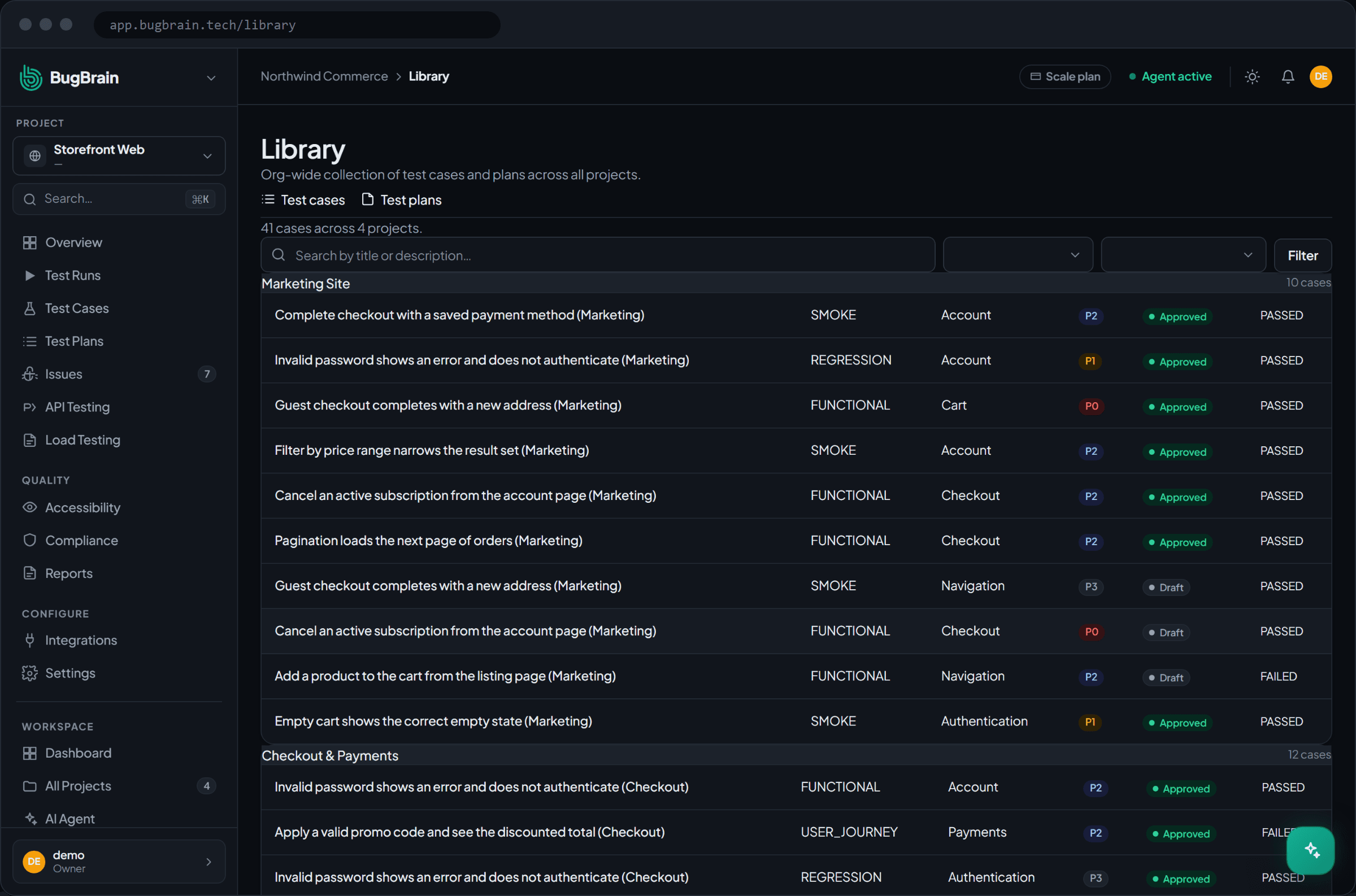
Browse or search the full org-wide list. Each item shows which project it belongs to, so you can see where coverage already exists.Open an item to learn from it
Open a case or plan to see exactly how the flow was tested — the steps, expectations, and recent results.Reuse the approach
Recreate the same coverage in your project, or fold an existing plan into your release checks. The library shows you the pattern; you apply it where you need it.
Tips#
- Use clear, consistent names for cases and plans — they're far easier to find in an org-wide list when they read like plain English.
- Before authoring a new test case, search the library first; the flow you need may already be covered.
- Treat the library as your team's shared catalog of what "tested" means across the product.
Related#
Frequently asked questions
What is the shared library?
It's a workspace-wide view that lists all of your test cases and test plans across every project in one place, so anyone can find existing coverage instead of recreating it.
How is the library different from a project's test cases?
A project's Test cases tab shows only that project's cases. The library aggregates cases and plans from every project, which is the right view when you want to search across the whole workspace.
Can I reuse a test case from another project?
Yes — the library is built for discovery and reuse. Find an existing case or plan, see how a flow was already tested, and apply the same approach in your project rather than starting from scratch.
Do I need special permissions to see the library?
You see the cases and plans in the projects you have access to. The library respects the same permissions as the projects the items belong to.