
Test plan management
How to use test plan management in BugBrain — group test cases and suites into an ordered plan, set how many run in parallel, and run it on demand or on a schedule.
A test plan lets you group the test cases that matter into one ordered batch and run them together — a clean way to manage repeatable regression coverage. This guide covers creating a plan, setting how many cases run in parallel, and launching it on demand or on a schedule.
What it is#
A test plan is an ordered collection of test cases (and whole suites) that you execute as a single unit. Each plan has:
- An ordered list of items — the test cases and suites included, in the sequence you want them organized.
- A parallelism setting — how many of those cases run concurrently when the plan launches.
- An enabled / disabled switch — turn a plan on or off without deleting it.
- Last-run status and timing — at a glance, you can see whether the most recent run passed and how long it took.
When you run a plan, BugBrain produces a test-plan run that executes every included case and rolls up the results.
Why use it#
- Repeatable regression coverage — assemble your critical flows once and re-run them on demand or on every schedule.
- Faster feedback — parallelism runs several cases at the same time instead of one after another.
- A single status to watch — track the health of a whole flow set from one place instead of checking cases individually.
- Organization — keep smoke tests, release checks, and area-specific suites as separate, named plans.
Before you start#
- You need test cases to add — create or generate them first (see Test cases).
- You need the right permissions:
test-plans:viewto see plans,test-plans:createto make one,test-plans:editto change it, andtest-plans:deleteto remove it. See Team & roles.
Create and run a plan#
Create a plan
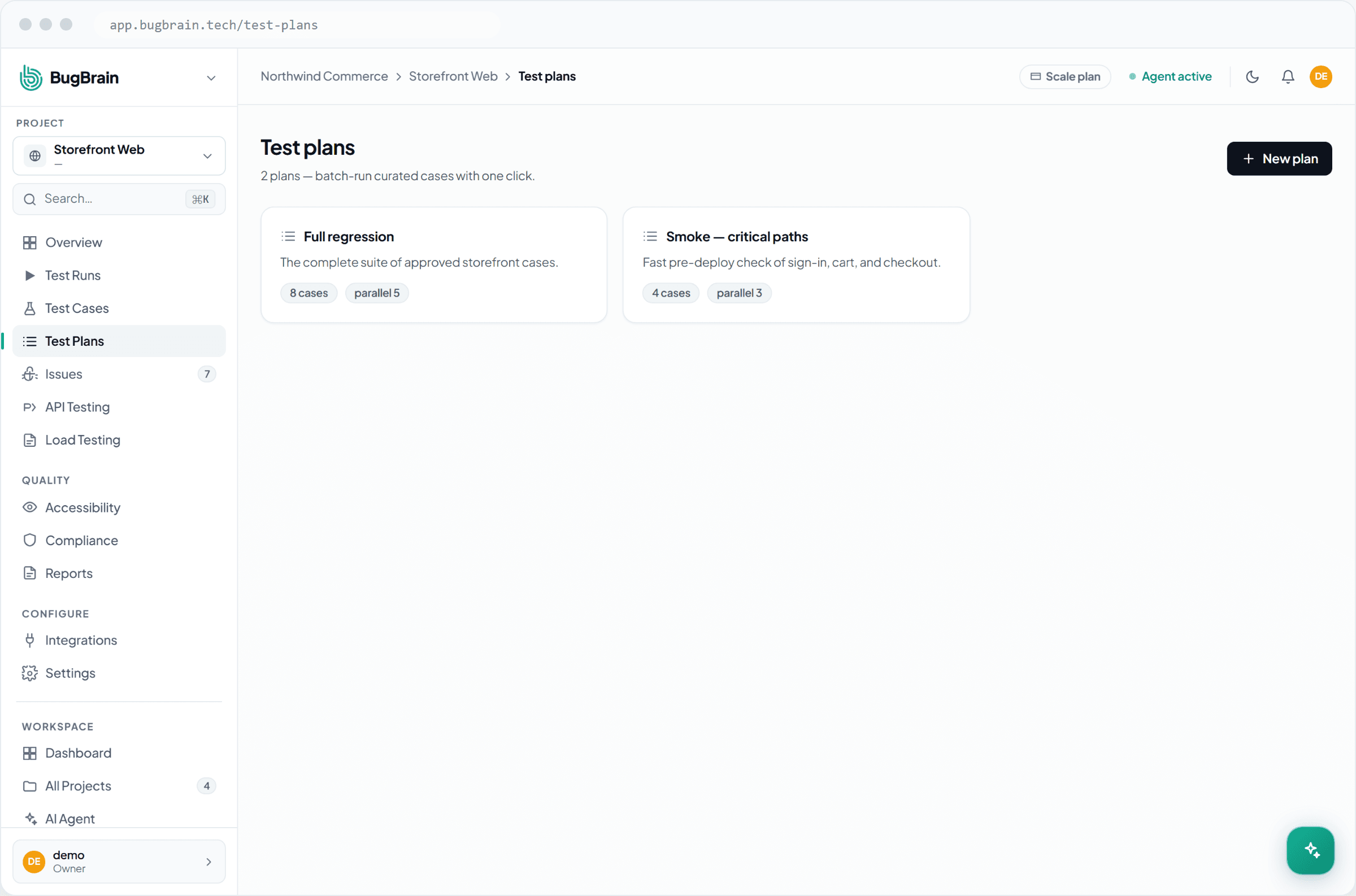
From the project, open Test plans and choose New plan. Give it a clear name (for example "Release smoke" or "Checkout regression").Add cases and suites
Add the test cases and suites you want to run together, in the order that makes sense for the plan.Set parallelism
Choose how many cases should run at the same time. Start modest and raise it as you confirm results stay stable.Run it
Choose Run to launch the plan now. The resulting run shows live progress and a rolled-up pass/fail summary when it finishes.
Effective parallelism
The number that actually runs is the smaller of the plan's parallelism setting, your workspace's concurrent-run limit, and the cap for your plan tier. So a high setting won't exceed what your plan allows.
Schedule a plan#
To run a plan automatically on a recurring cadence, attach a schedule to it. Scheduled plans run without anyone pressing a button, which makes them ideal for nightly regression or pre-release checks. Disable the plan to pause both manual and scheduled runs without losing its configuration.
Tips#
- Keep a small, fast "smoke" plan you can run on every change, and a larger regression plan for releases.
- Raise parallelism gradually — if cases share data or state, too much concurrency can introduce flakiness.
- Use the last-run status as your release signal: a green plan is a quick confidence check before shipping.
Related#
Frequently asked questions
What is a test plan?
A test plan is an ordered group of test cases (and suites) you run together as one batch. It gives you a repeatable regression set and a single place to track its last-run status and execution time.
What does the parallelism setting do?
Parallelism controls how many of the plan's test cases run at the same time. Higher parallelism finishes faster; the effective number is capped by your plan tier and your workspace's concurrent-run limit.
Can I run a test plan automatically?
Yes. Run a plan on demand whenever you like, or attach a schedule so it runs on a recurring cadence without anyone clicking a button.
How is a test plan different from a test run?
A test run is a single execution. A test plan is the reusable definition — the set of cases and the parallelism — that produces a run each time you launch it.